

Android · by Pobal Cyber
Notification Sieve
Block the notifications you don't want. Keep everything else. Rules run on your phone — no notification content is ever uploaded.

Free for 30 days · No account · No tracking
Why Sieve
A notification filter that
matches how you actually live.
Rules with exceptions
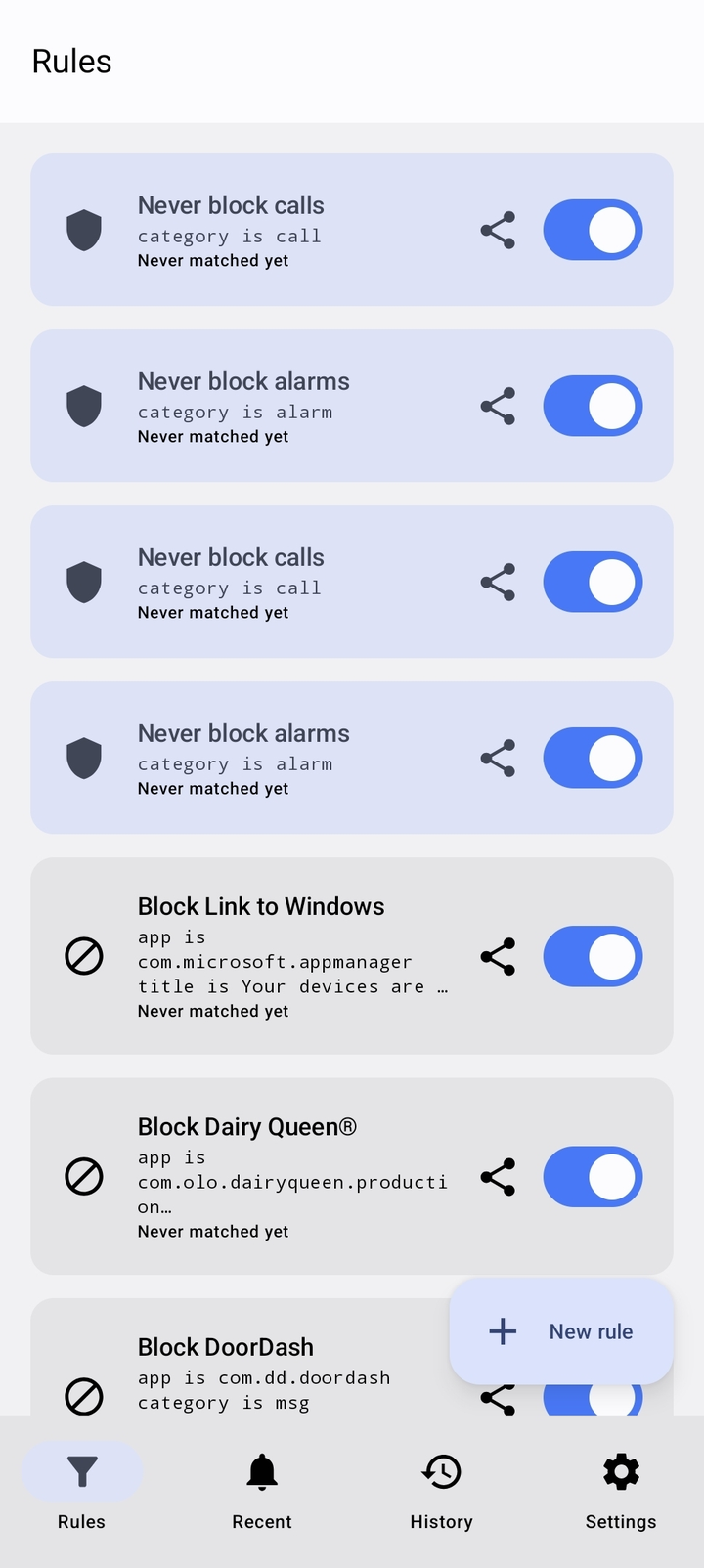
Allow rules override block rules. Block everything from Slack — except direct messages. Block a noisy group chat — except when it mentions your name.
Built in seconds
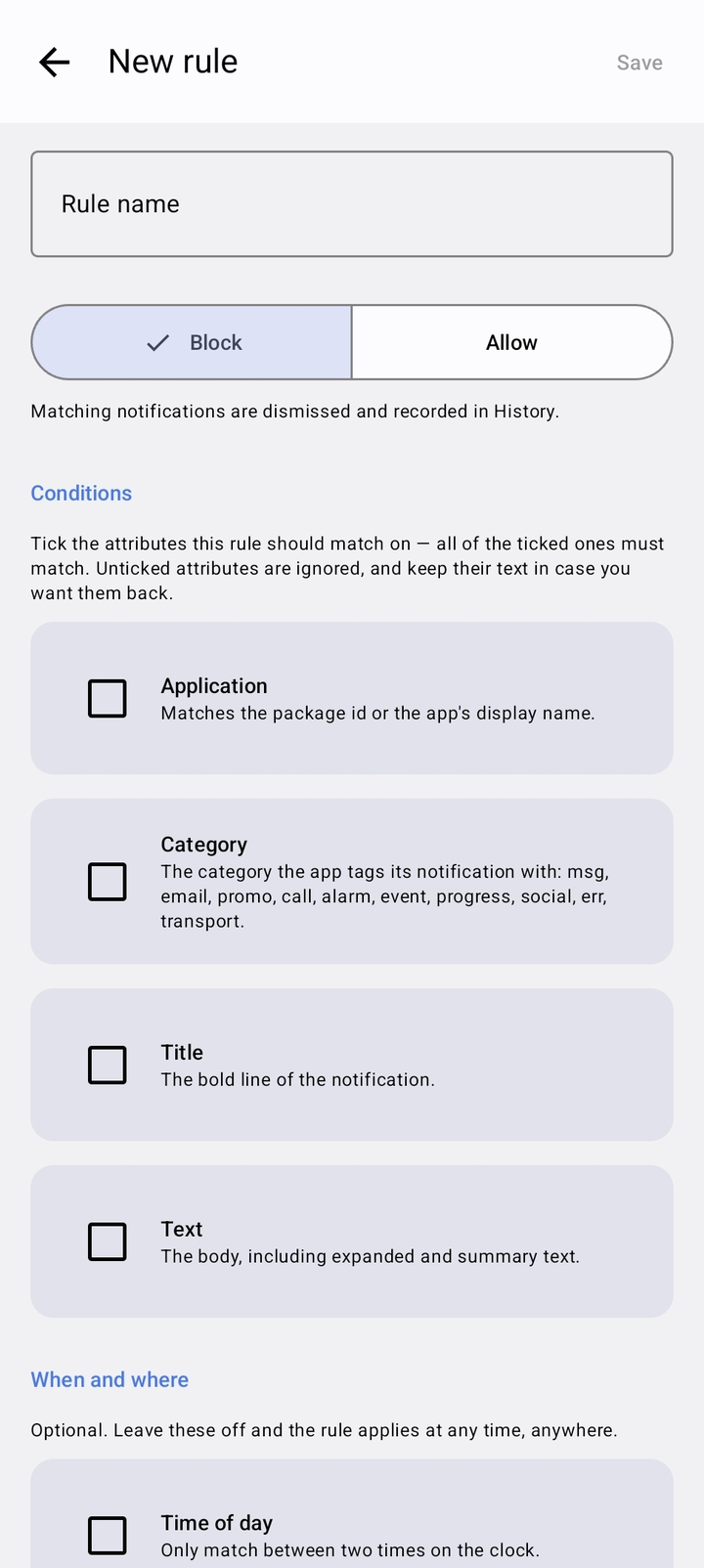
Tap a notification you already received and every field fills in from it. A live preview shows what a rule would catch before you save it.
Time & place aware
Limit rules to times of day, days of the week, or whether you're inside or outside a place you pick on a map. Block work email outside working hours.
Safe by default
Calls and alarms are allowed by default. Test mode dry-runs a rule first. Everything blocked is kept for 30 days, and one switch turns it all off.
Powerful matching
From one tap to full regex.
A rule matches any combination of app, category, title, and text — all conditions must
match. Use simple word lists with * wildcards, or a full regular expression.
Each field can be case-sensitive or inverted ("does not match").
- App picker lists what's installed — never type a package name
- Time windows, including ones that cross midnight
- Pick a location on a map — no address needed
Privacy, from a cybersecurity company
Your notifications are none of our business.
No account
No sign-in, no sign-up, no payment details for the trial.
Nothing uploaded
Rules run on your device. Notification content never leaves your phone.
No tracking
No analytics, no advertising, no telemetry. We can't see what we don't collect.
Pricing
Try everything free for 30 days.
Free
$0
Five active block rules, forever. Extra rules are paused, never deleted.
Monthly
$1/month
Unlimited rules while subscribed.
Yearly
$4.99/year
Unlimited rules, cheaper by the dozen.
Lifetime
$9.99 once
Pay once, keep it forever.
What it cannot do — and what we do about it
Android tells an app about a notification only after it has been posted. A banner may appear for a fraction of a second, and a sound may have started, before Sieve removes it. No app without root can prevent this — and any app that claims otherwise is overselling.
Sieve works with that rather than around it: for any app you block, it links you straight to that app's own notification settings so you can silence it at the source. Nothing sounds, nothing appears, and Sieve clears away what's left.
Frequently asked questions
Does my notification content leave my phone?
No. Rules run entirely on your device. There's no account, no analytics, no advertising, and no tracking. No notification content is ever uploaded.
How much does it cost?
Free for 30 days — no payment details, no sign-up. After that, five active block rules stay free forever. Unlimited rules cost $1/month, $4.99/year, or $9.99 once. Rules above the free limit are paused, never deleted, and return when you upgrade.
Can it stop a notification before it appears at all?
No app without root can — Android only tells an app about a notification after it's been posted. Sieve is honest about this, and for any app you block it links you to that app's own notification settings so you can silence it at the source.
What can a rule match on?
Any combination of app, category, title, and text — with wildcards or full regex, per-field case sensitivity and inversion — plus time of day, days of the week, and location.
What if a rule blocks too much?
Test mode records what a rule would have blocked without blocking anything. Calls and alarms are allowed by default; music, navigation, and downloads are never blocked unless a rule opts in. Everything blocked is kept for 30 days, and one switch turns filtering off.
Can I share rules?
Yes — send a rule to someone as a file. It arrives switched off, so they can read exactly what it does before turning it on.
Take back your notification tray.
Free for 30 days. No account, no tracking — just quieter days.